Local connections
Echo uses supported nearby transports. Shared Wi-Fi often works well. Discovery, hotspots, Wi-Fi Direct and Bluetooth modes are not available on every device or operating system.
No public feed, follower race or confusing onboarding. Echo is built around a simple idea: open it where people already are.
Get Echo from the official app store or download the Android APK directly from this site.
Set your name and optional photo. You can use a temporary alias in a bubble.
Join or start a local bubble. Allow the permissions your device needs for discovery.
Compare the connection code on both devices, then message, share or collaborate.
Nearby discovery finds possible peers. Verification makes the connection intentional. Each person should see the same code and explicitly approve the pairing.
For LAN discovery, that often means the same Wi-Fi or hotspot and a compatible local connection.
Do not accept a code you were not expecting.
Share a message, photo or file, or move into one of Echo’s Spaces.
Echo uses supported nearby transports. Shared Wi-Fi often works well. Discovery, hotspots, Wi-Fi Direct and Bluetooth modes are not available on every device or operating system.
Your chosen profile may be visible to verified peers while in the bubble. An alias reduces what is displayed in-app; it is not network-level anonymity.
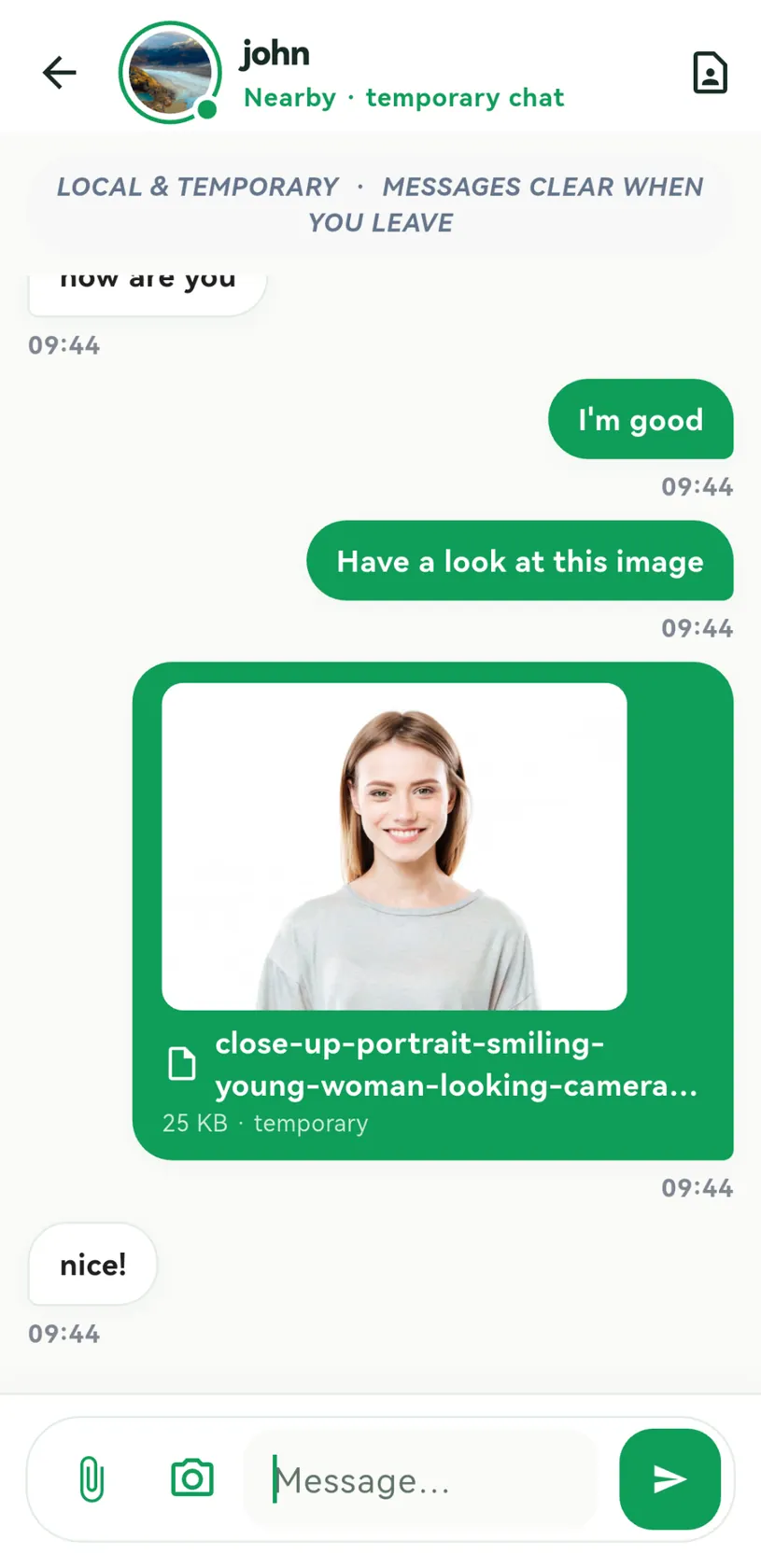
Bubble chats are intended to clear when the session ends. Files that a recipient downloads or copies may remain on their device.
Enable alerts in Echo and in device settings. Battery-saving and background restrictions can prevent delivery when the app is not active.
Clear answers before you connect.
Echo is designed for local connections. Devices usually need a supported shared network or nearby transport. Some features can work without internet, but Wi-Fi Direct, Bluetooth and LAN discovery depend on the device, permissions and app version.
The code helps both people confirm they are connecting to the expected peer. Compare it on both screens and approve only when the values match.
Bubble chats are designed to be temporary and cleared when the bubble ends. Saved attachments, mutual kept contacts, operating-system files, notification previews and screenshots may remain outside that temporary session.
The displayed Radar positions are illustrative. They are not measurements of Wi-Fi signal strength, physical distance or direction. Location permission may be used for joining or verifying a local bubble.
People you connect to may see your chosen display name or alias, profile picture when enabled, and messages/files you share. Network-level identifiers such as local IP information may be visible to devices or routers.
System pop-ups depend on permissions, battery settings and whether the app is running and receiving nearby traffic. They are not a replacement for cloud push notifications to offline devices.
The iOS version is listed as coming soon. Echo is currently linked here to Google Play for Android and Microsoft Store for Windows.
Check that both people are live, connected to compatible local transports, have granted the requested permissions, and have approved any pairing prompts. LAN firewalls, phone battery optimization and unsupported discovery plugins can block detection.
No. SOS, check-ins and pinned instructions are coordination features only. Call local emergency services in dangerous situations.
Every meaningful connection begins with showing up. Download Echo and discover who is here.